
A personal lab environment built on physical machines running Kali Linux, EVE-NG, and Ubuntu Server — used for hands-on practice in network reconnaissance, packet analysis, Linux system administration, service configuration, and hardware security projects.
◈ 01 — Nmap / Network Reconnaissance
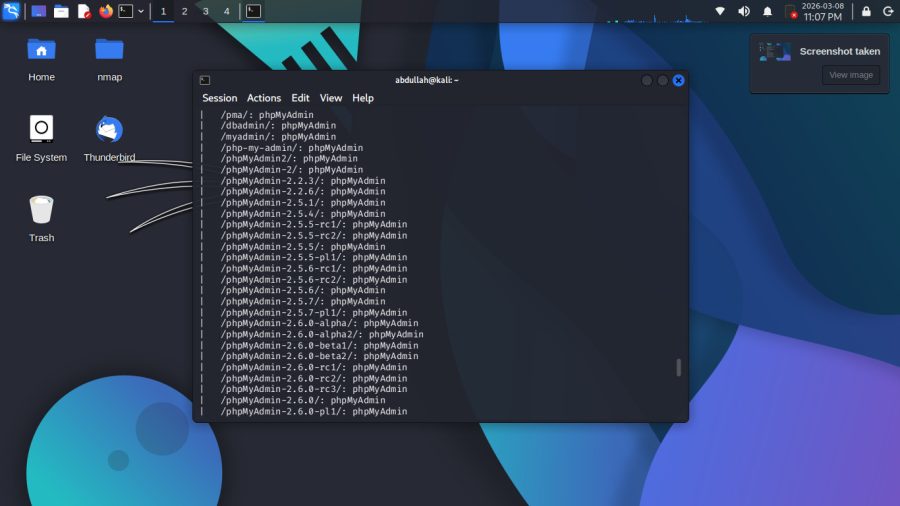
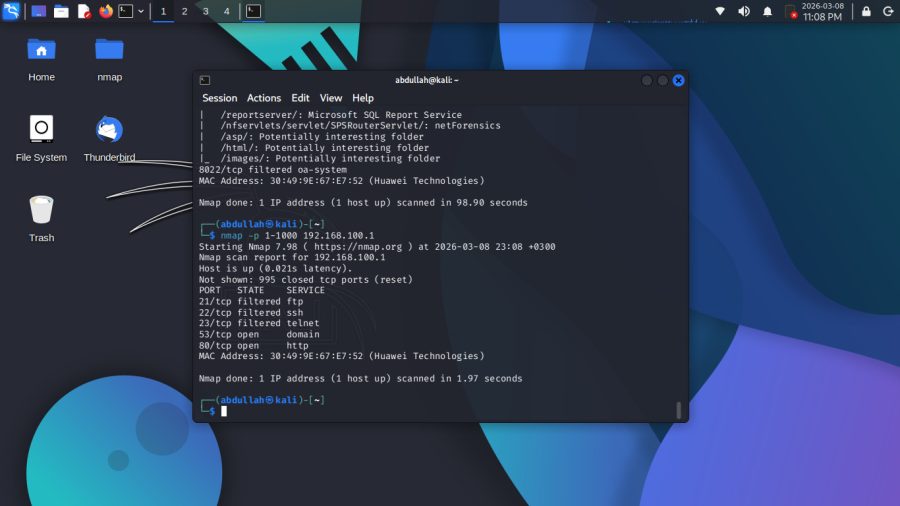
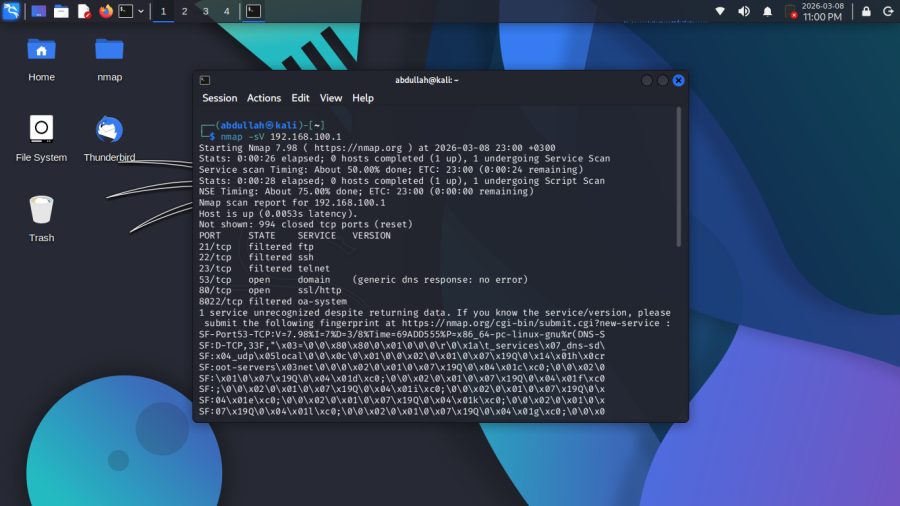
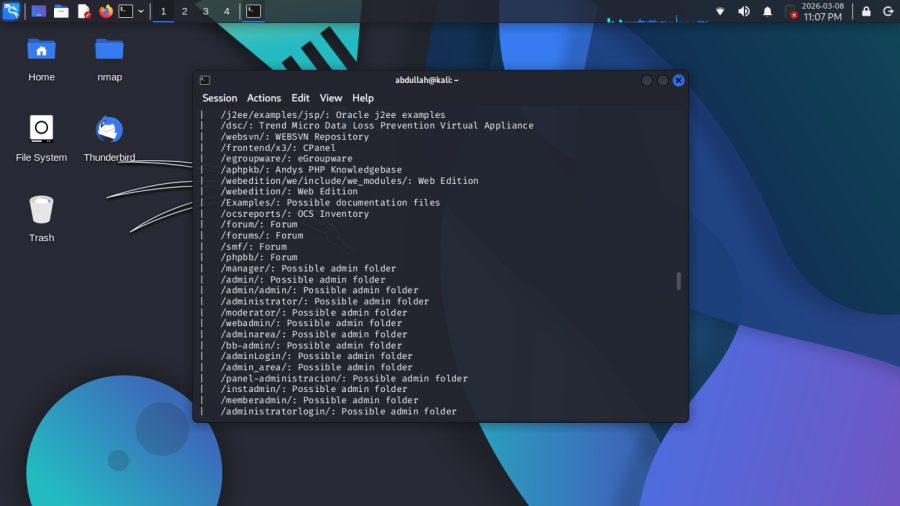
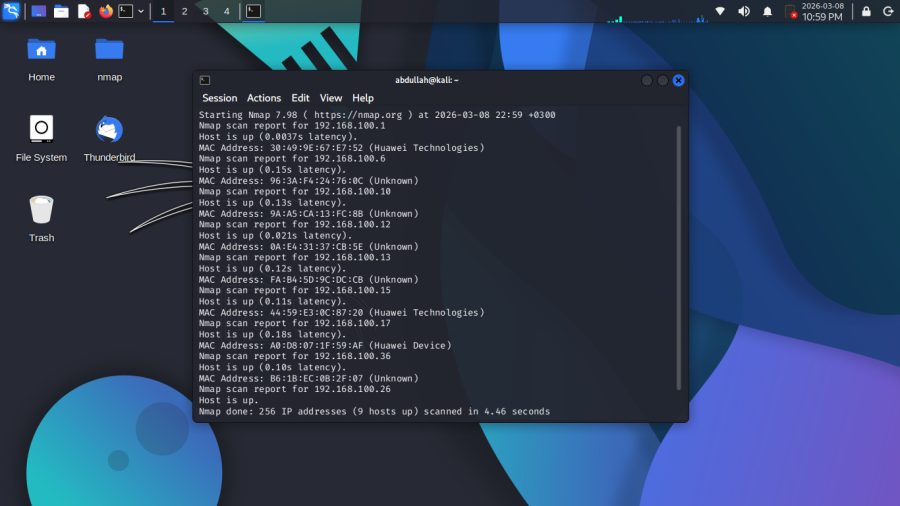
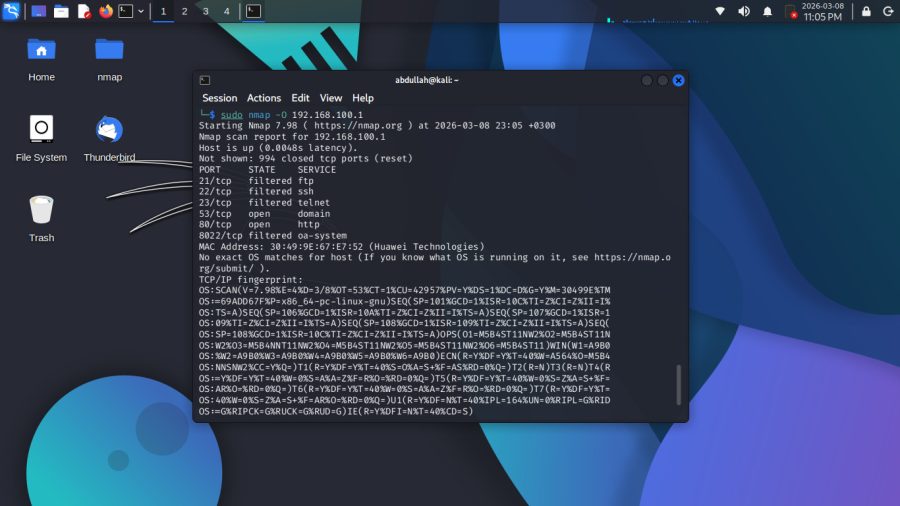
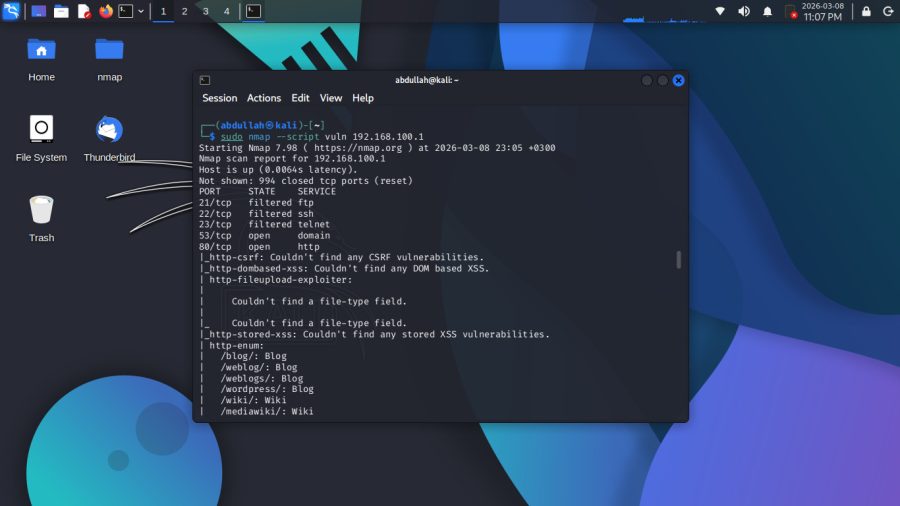
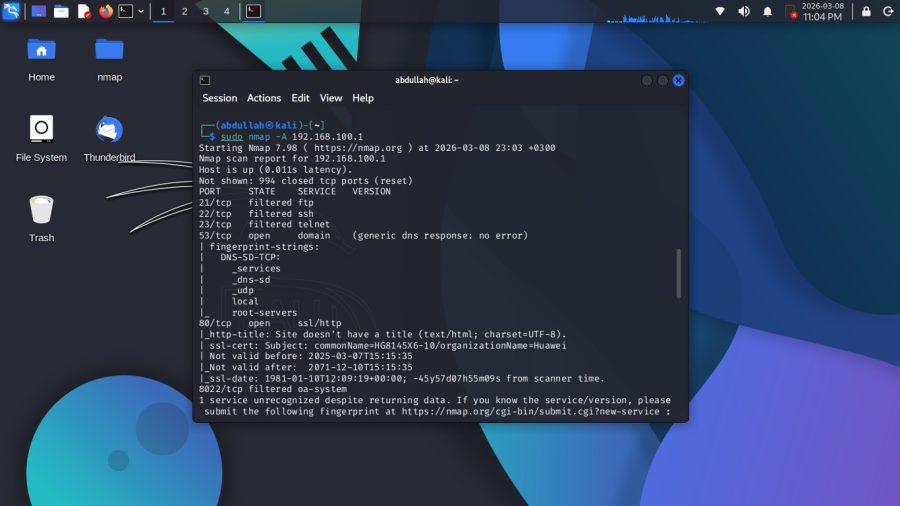
Scanned my local network using Nmap — started with host discovery
and found 9 active devices, some identified as Huawei. Then focused
on the Gateway using multiple scan types to identify open ports and
running services. Finished with a vulnerability script that enumerated
possible paths on the web server.
Tool ▸ Nmap 7.98 — Kali Linux
Network ▸ 192.168.100.0/24
Ports ▸ 53 (DNS) · 80 (HTTP)
◈ 02 — Wireshark / Packet Analysis
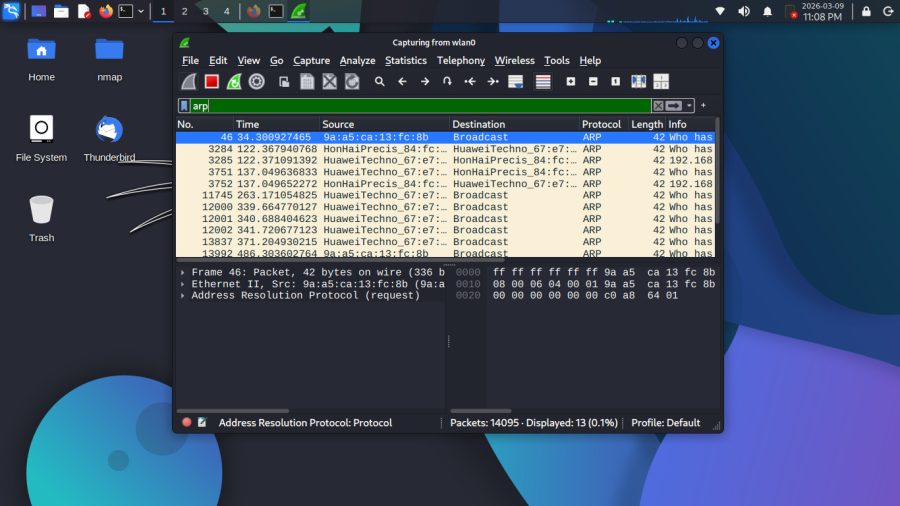
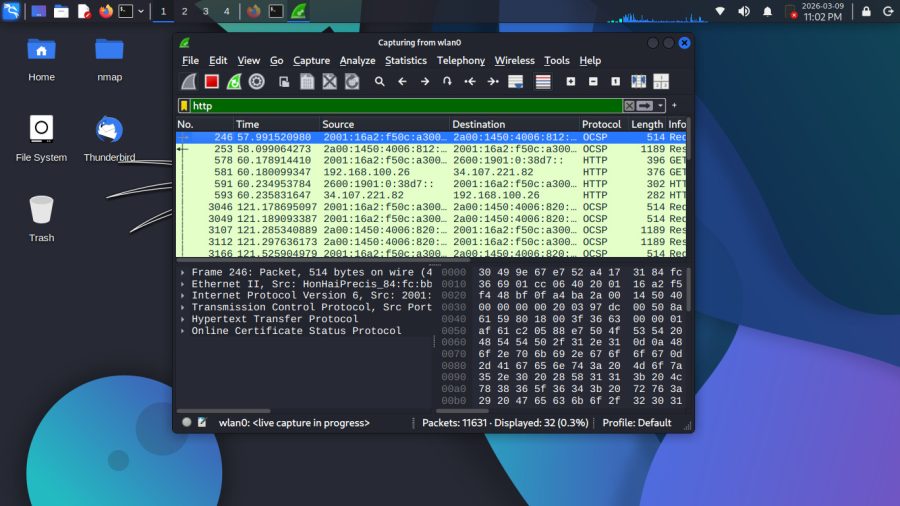
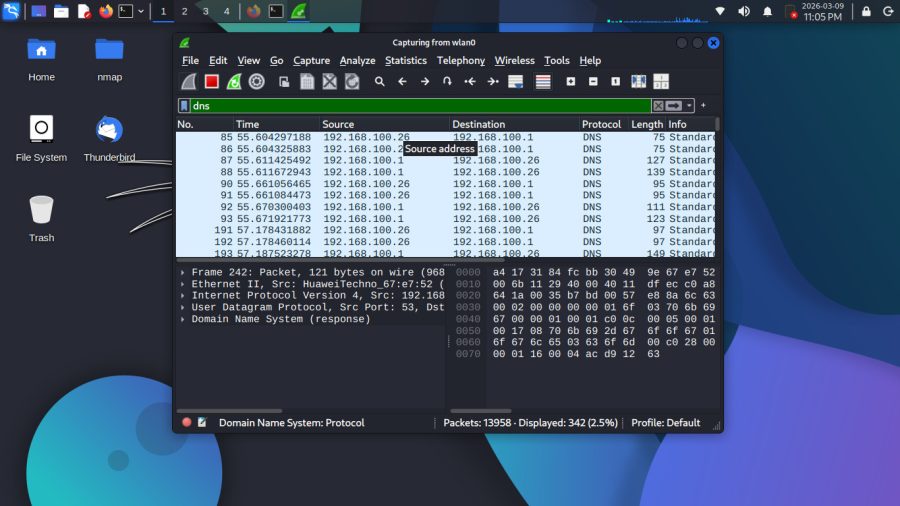
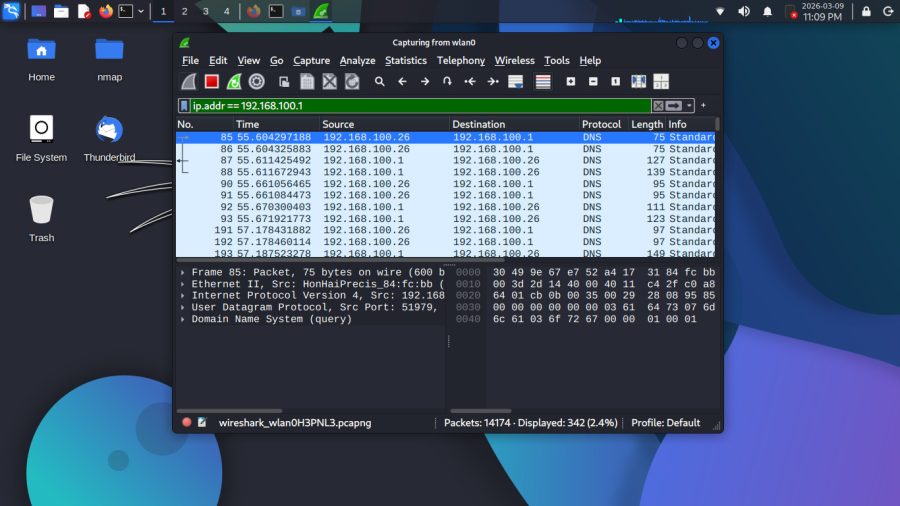
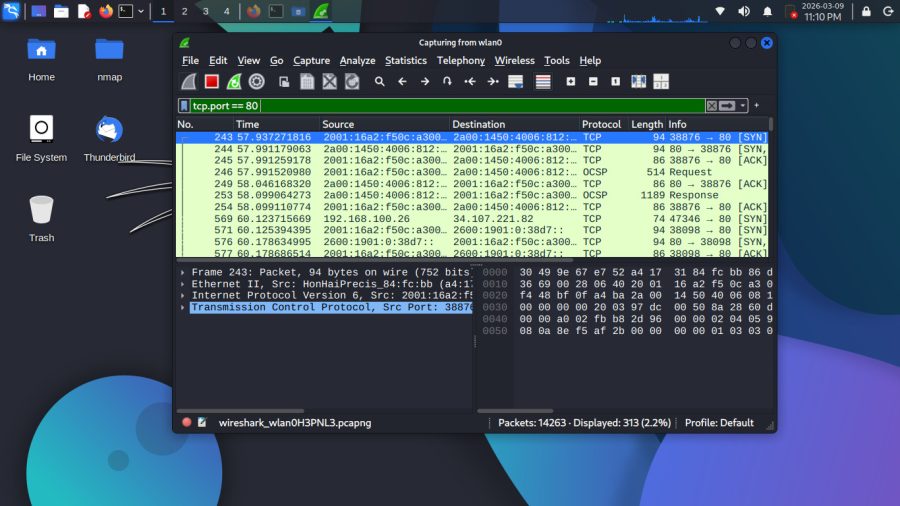
Captured live network traffic on wlan0 and analyzed it using
different display filters. Filtered ARP packets to see devices
discovering each other on the network, DNS queries going back
and forth between my machine and the gateway, HTTP traffic
showing GET requests and responses, and TCP connections using
the 3-way handshake (SYN, SYN-ACK, ACK). Also filtered by
specific IP to isolate all traffic to and from 192.168.100.1.
Tool ▸ Wireshark — Kali Linux
Interface▸ wlan0
Filters ▸ arp · dns · http · tcp.port == 80 · ip.addr == 192.168.100.1
Packets ▸ 14,000+
◈ 03 — Linux Administration / System Management
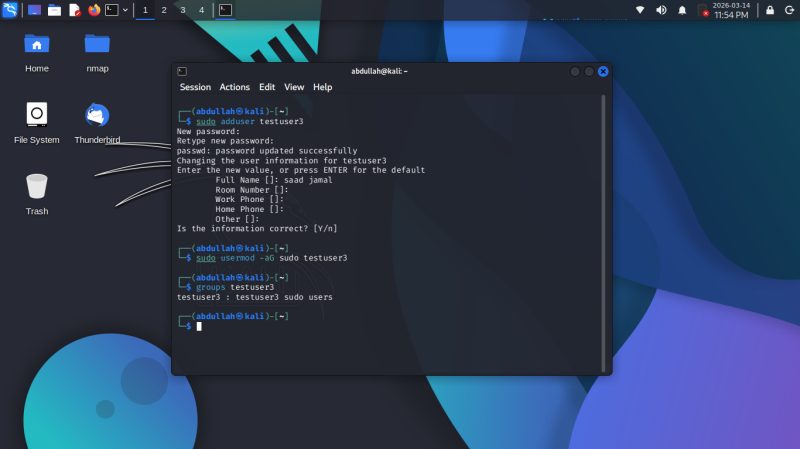
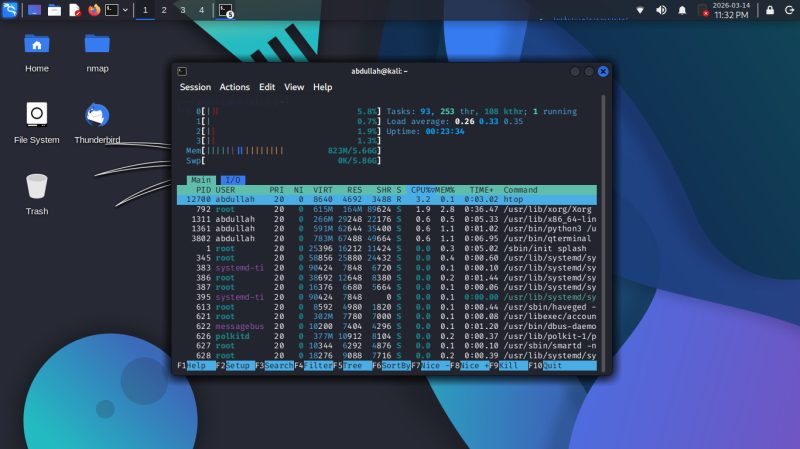
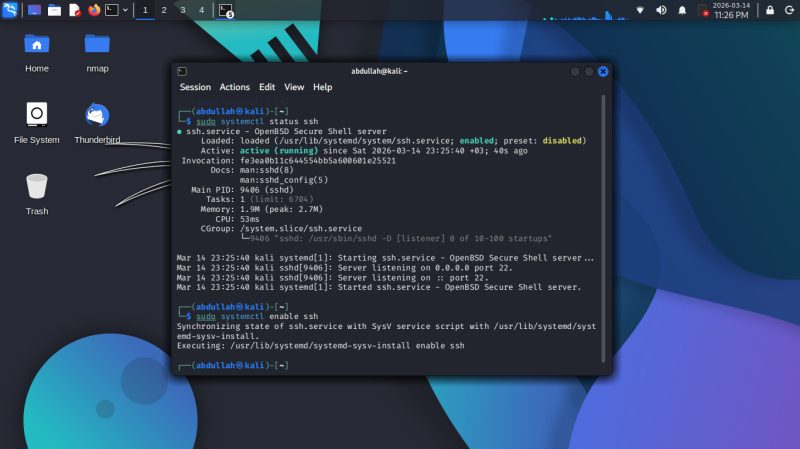
Practiced basic Linux system administration on Kali — started by
enabling and verifying the SSH service using systemctl, then using
htop to monitor running processes, CPU, and memory usage in real-time
time. Also created a new user (testuser3), set a password, and
Added them to the sudo group to grant admin privileges.
Tool ▸ Kali Linux — Terminal
Commands ▸ systemctl · htop · adduser · usermod · groups
Skills ▸ Service Management · Process Monitoring · User Management