
FortiGate NGFW — Multi-Zone Firewall + VPN
A segmented FortiGate lab that mirrors an enterprise perimeter: LAN, DMZ and WAN zones, layered security profiles, a site-to-site IPsec VPN to a Cisco router, and a Windows IIS server published through a Virtual IP.مختبر FortiGate مقسَّم يحاكي محيط شبكة مؤسسية: مناطق LAN وDMZ وWAN، وملفات أمنية متعددة الطبقات، وVPN من نوع IPsec بين موقعين مع راوتر Cisco، وخادم Windows IIS منشور عبر Virtual IP.
A full perimeter design, configured from scratchتصميم محيط كامل، مُعدّ من الصفر
The lab simulates a real enterprise security architecture in EVE-NG on a FortiGate VM. Traffic is split into three zones, inspected with layered security profiles, and extended to a second site through an IPsec tunnel.يحاكي المختبر بنية أمنية مؤسسية حقيقية في EVE-NG على FortiGate VM. يُقسَّم المرور إلى ثلاث مناطق، ويُفحص بملفات أمنية متعددة الطبقات، ويمتد إلى موقع ثانٍ عبر نفق IPsec.
A Windows Server running IIS sits in the DMZ and is exposed to the outside only through a Virtual IP, with policies controlling what can reach it. I tested each control with live traffic rather than only configuring it.يقع خادم Windows يشغّل IIS في DMZ، ولا يُعرَض للخارج إلا عبر Virtual IP، مع سياسات تتحكم بما يصل إليه. اختبرت كل ضابط بمرور حقيقي ولم أكتفِ بإعداده.
- Platformالمنصة
- EVE-NG · FortiGate VM64-KVM (FortiOS 7.0.3)EVE-NG · FortiGate VM64-KVM (FortiOS 7.0.3)
- Zonesالمناطق
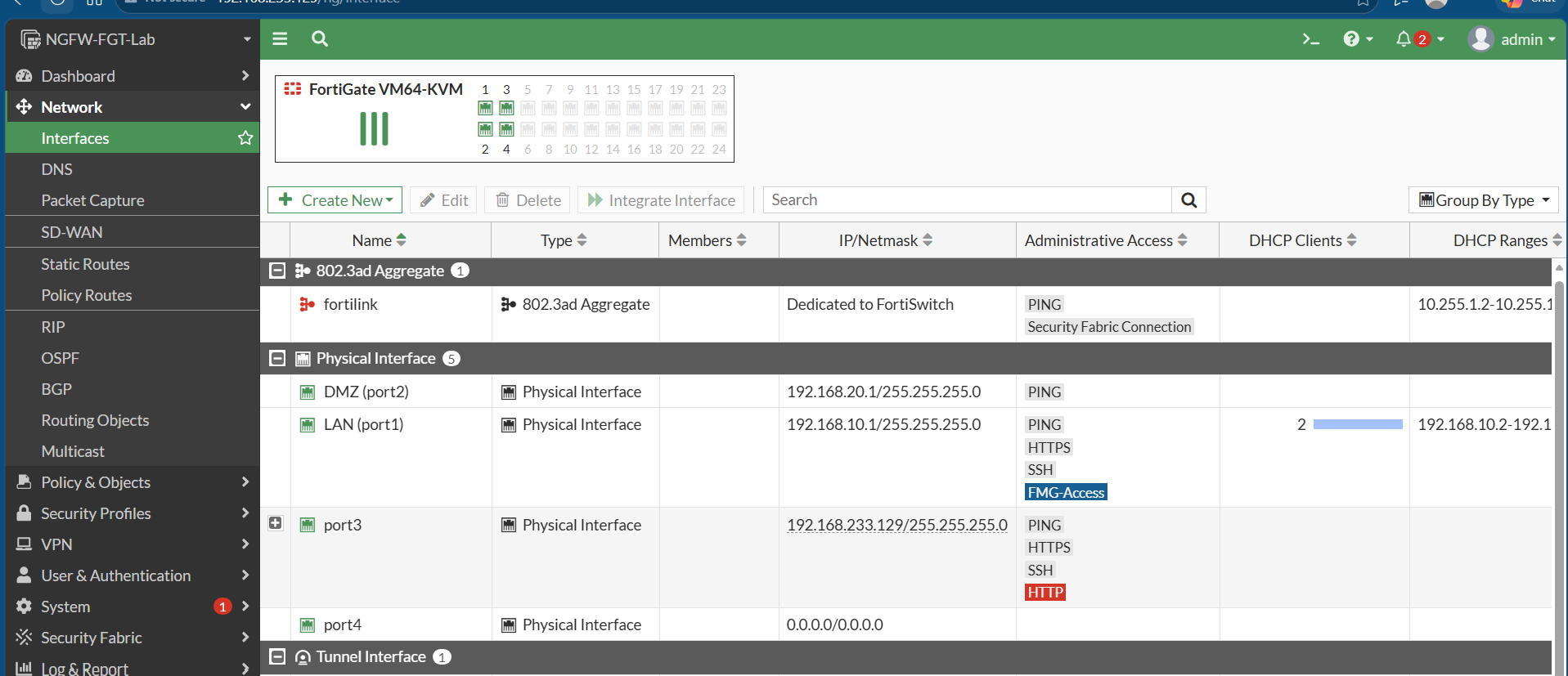
- LAN port1 · DMZ port2 · WAN port3LAN port1 · DMZ port2 · WAN port3
- VPNVPN
- Site-to-site IPsec (VPN-to-Cisco), tunnel up and passing trafficIPsec بين موقعين (VPN-to-Cisco)، والنفق يعمل ويمرّر المرور
- DMZDMZ
- Windows Server IIS published through a Virtual IPWindows Server IIS منشور عبر Virtual IP
Zones and interfacesالمناطق والواجهات
Three zones keep the internal network, the DMZ and the outside world apart, with each interface assigned to one zone.ثلاث مناطق تفصل الشبكة الداخلية وDMZ والعالم الخارجي، وكل واجهة مرتبطة بمنطقة واحدة.

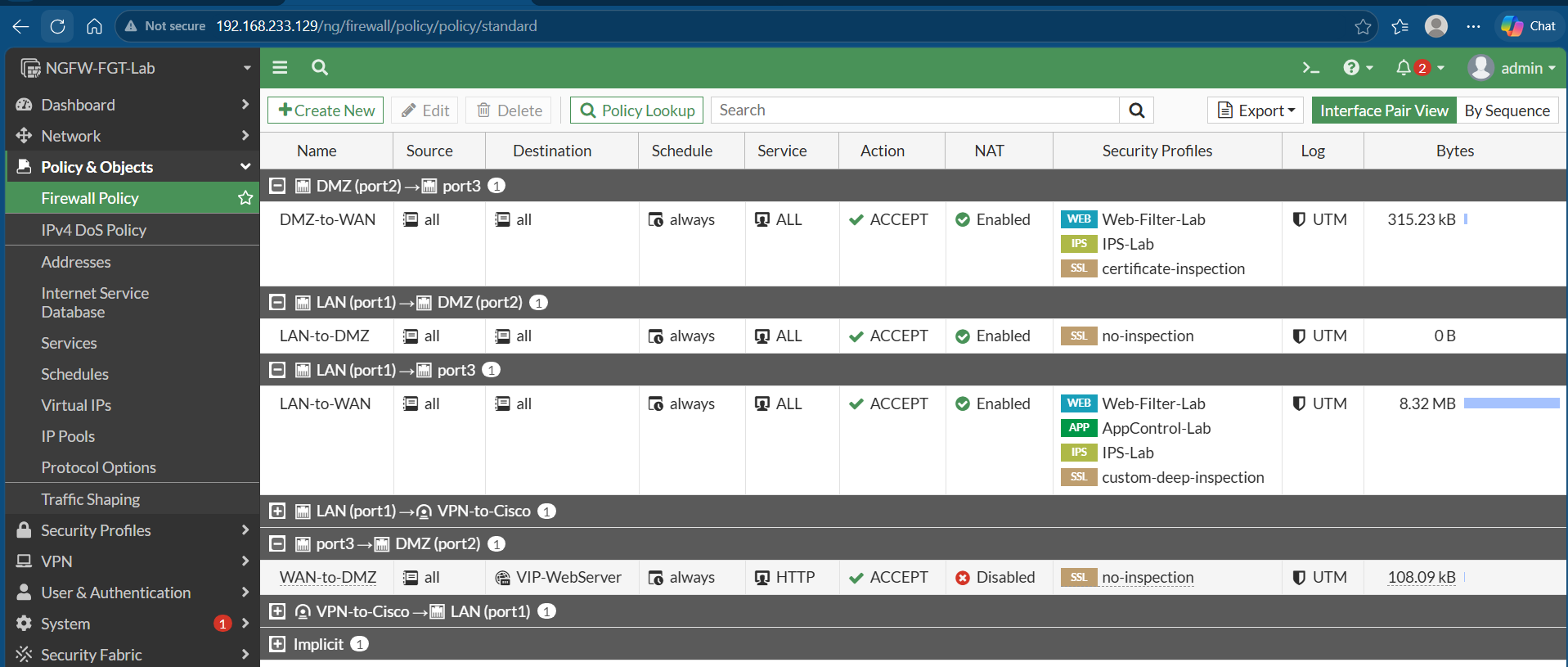
Firewall policy and security profilesسياسة الجدار الناري والملفات الأمنية
- Firewall policies between the LAN, DMZ and WAN zones.سياسات جدار ناري بين مناطق LAN وDMZ وWAN.
- Layered profiles: web filter, IPS, application control and SSL inspection.ملفات متعددة الطبقات: فلترة الويب وIPS والتحكم بالتطبيقات وفحص SSL.
Site-to-site IPsec VPNVPN من نوع IPsec بين موقعين
A tunnel to a Cisco router (VPN-to-Cisco) was configured and is up and passing traffic.أُعدّ نفق مع راوتر Cisco (VPN-to-Cisco) وهو يعمل ويمرّر المرور.

Live testing and visibilityالاختبار المباشر والرؤية
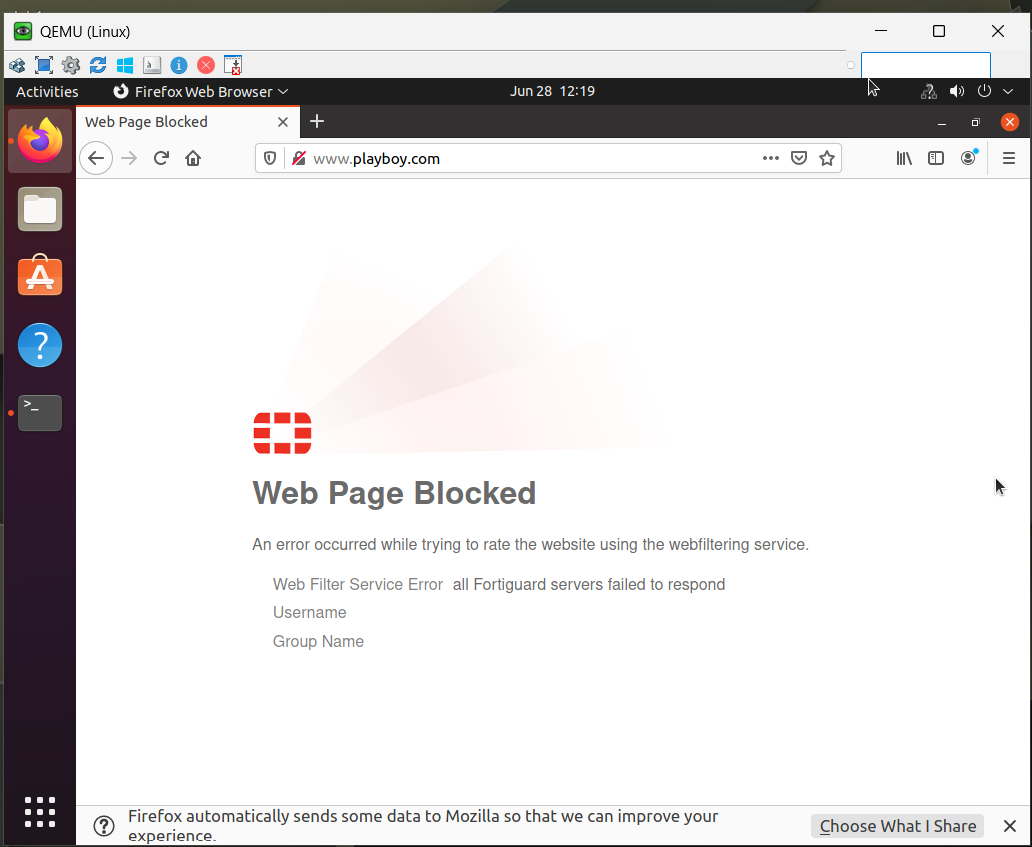
- Web filtering tested with a real blocked request.اختُبرت فلترة الويب بطلب حقيقي تم حظره.
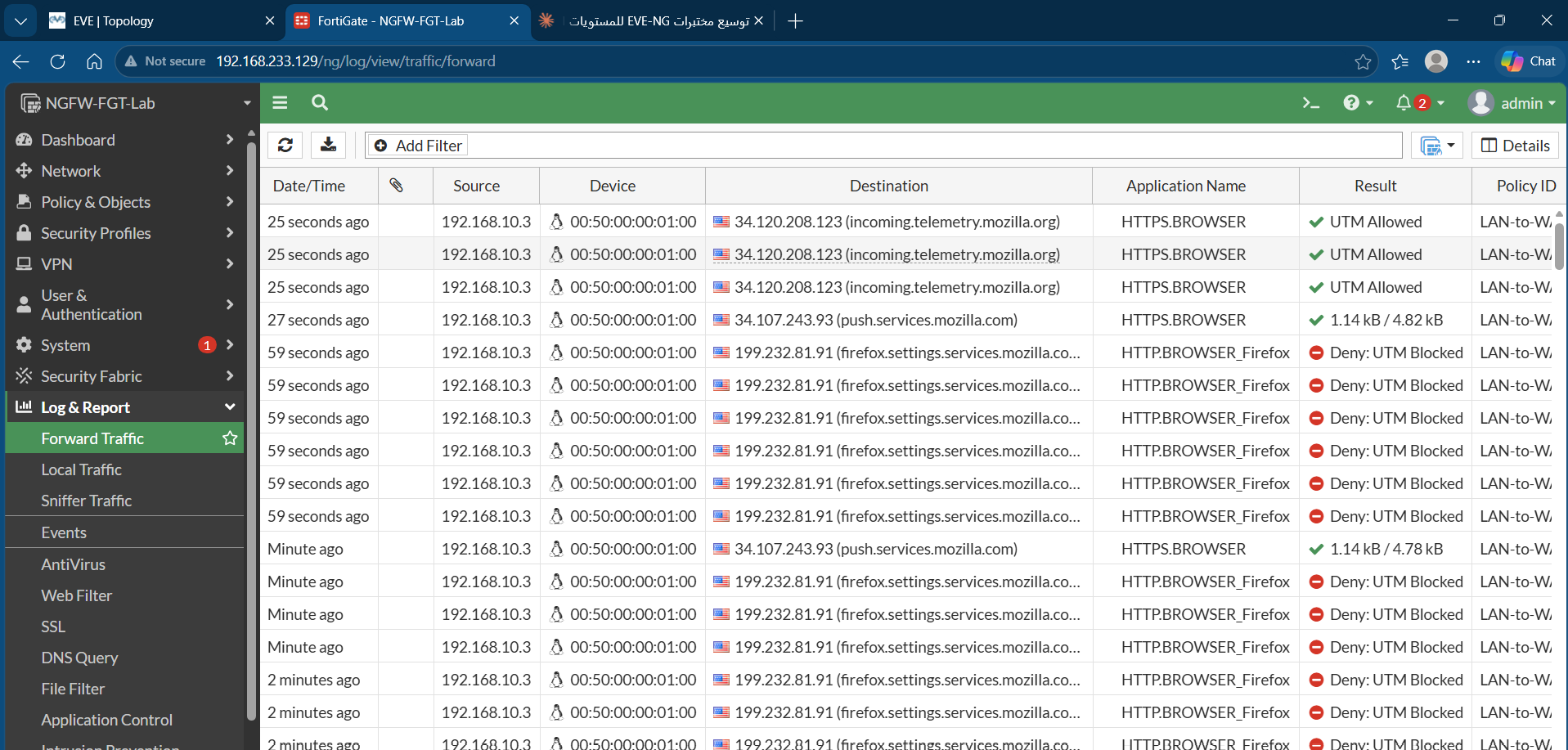
- Application control enforcement tested, with the results visible in the traffic logs.اختُبر تطبيق التحكم بالتطبيقات، والنتائج ظاهرة في سجلات المرور.
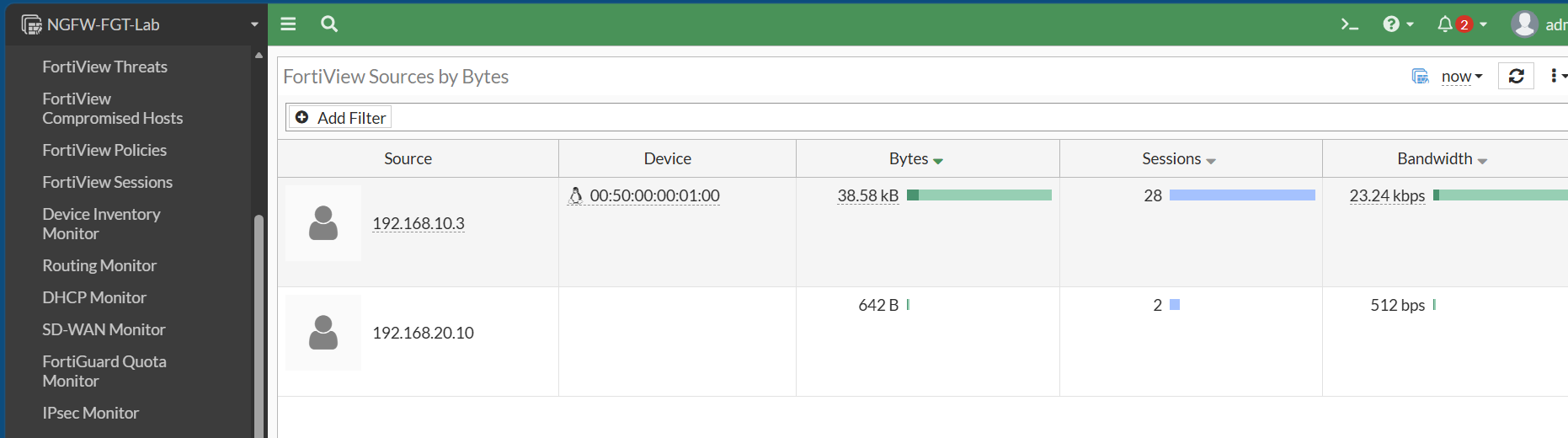
- FortiView used to see sources and traffic patterns.استخدمت FortiView لرؤية المصادر وأنماط المرور.
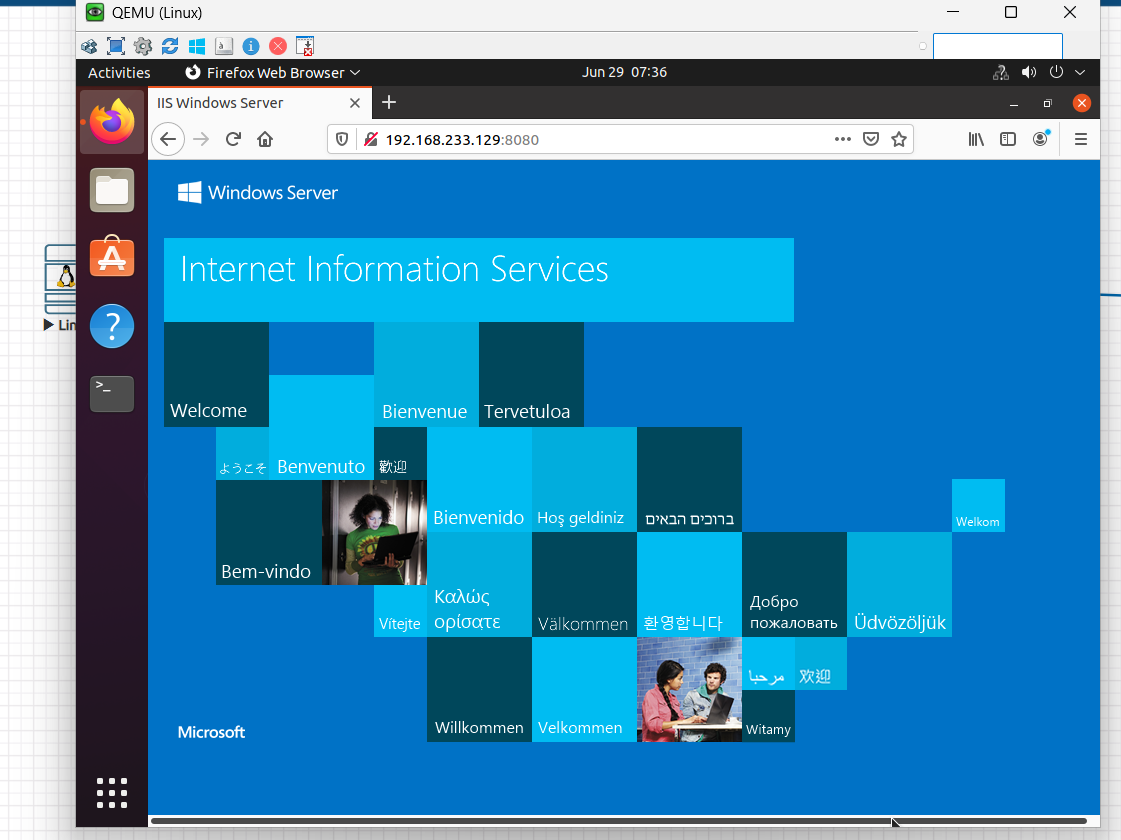
DMZ web server through a Virtual IPخادم ويب DMZ عبر Virtual IP
The Windows Server running IIS sits in the DMZ and is exposed through a Virtual IP.يقع خادم Windows الذي يشغّل IIS في DMZ ويُعرَض عبر Virtual IP.
What this project showsما يُظهره هذا المشروع
- Segmenting a network into zones with policy between them.تقسيم الشبكة إلى مناطق مع سياسات بينها.
- Layering UTM profiles and testing that each one works.تركيب ملفات UTM متعددة الطبقات واختبار عمل كل منها.
- Building and verifying a site-to-site IPsec VPN with a Cisco peer.بناء IPsec VPN مع جهاز Cisco والتحقق منه.
- Publishing a DMZ server safely through a Virtual IP.نشر خادم DMZ بأمان عبر Virtual IP.
Want the details behind this project?تريد تفاصيل أكثر عن هذا المشروع؟
I’m happy to walk through the design, the configs and what I would change in production.يسعدني شرح التصميم والإعدادات وما الذي سأغيّره في بيئة الإنتاج.