
Linux SSH Hardening — Ubuntu Server
Hardening SSH access on an Ubuntu server with the same practices used in enterprise environments: a non-default port, key-only login, no root access and a firewall limited to one trusted address.تحصين الوصول عبر SSH على خادم Ubuntu بنفس الممارسات المتبعة في البيئات المؤسسية: منفذ غير افتراضي، ودخول بالمفاتيح فقط، ومنع دخول root، وجدار ناري مقصور على عنوان موثوق واحد.
Reducing the attack surface of remote accessتقليص سطح الهجوم على الوصول عن بُعد
SSH is the main way into most Linux servers, so it is also the first thing attackers probe. This project closes the common weaknesses step by step and checks each change.SSH هو المدخل الرئيسي لأغلب خوادم Linux، ولذلك هو أول ما يفحصه المهاجمون. يسد هذا المشروع الثغرات الشائعة خطوة بخطوة مع التحقق من كل تغيير.
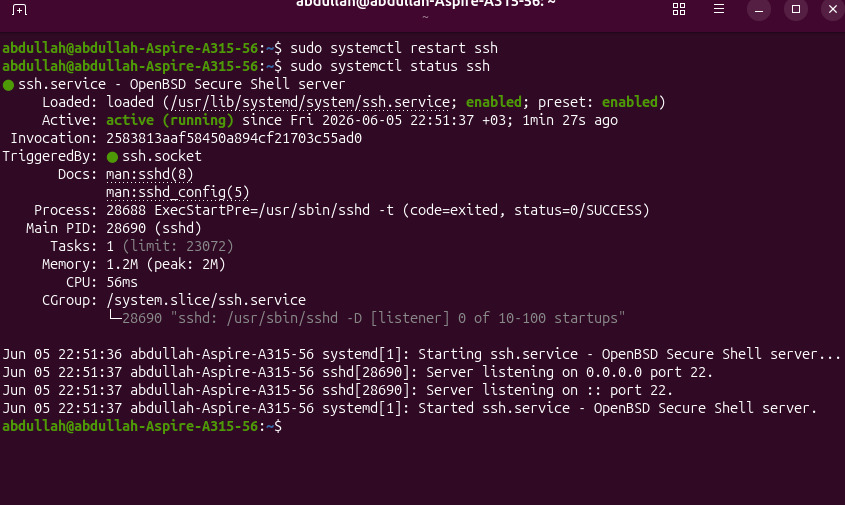
The changes were made in sshd_config, with a backup of the original file kept.أُجريت التغييرات في sshd_config مع الاحتفاظ بنسخة احتياطية من الملف الأصلي.
- Operating systemنظام التشغيل
- Ubuntu LinuxUbuntu Linux
- SSH portمنفذ SSH
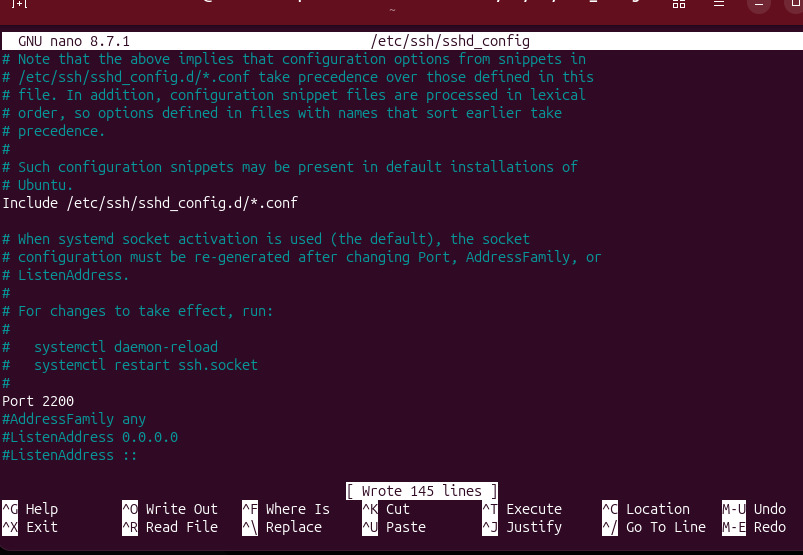
- Changed from 22 to 2200غُيّر من 22 إلى 2200
- Authenticationالمصادقة
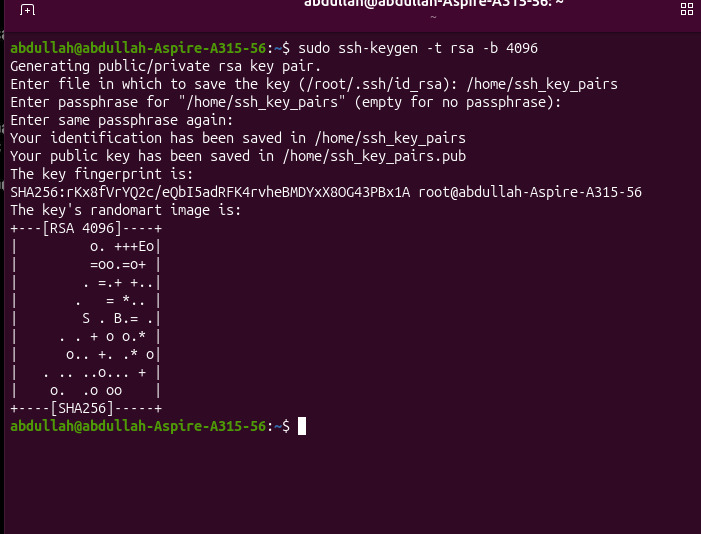
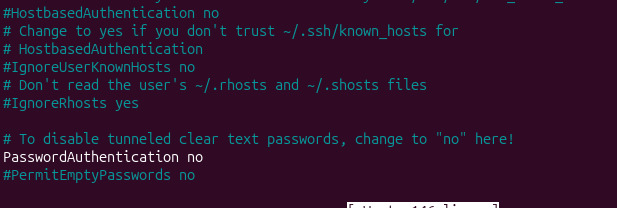
- RSA 4096-bit key pair only, password authentication disabledزوج مفاتيح RSA بطول 4096 بت فقط، وتعطيل المصادقة بكلمة المرور
- Firewallجدار الحماية
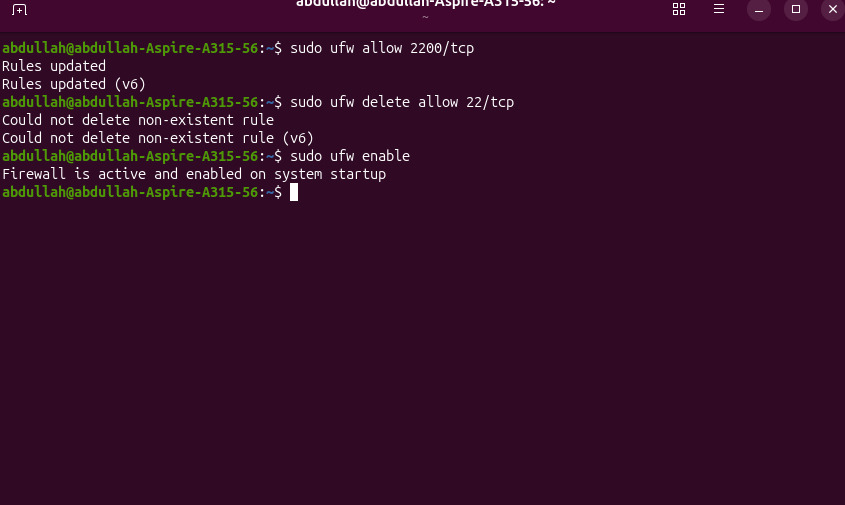
- UFW: port 2200 allowed from the trusted IP 192.168.41.1 onlyUFW: المنفذ 2200 مسموح من العنوان الموثوق 192.168.41.1 فقط
- Root loginدخول root
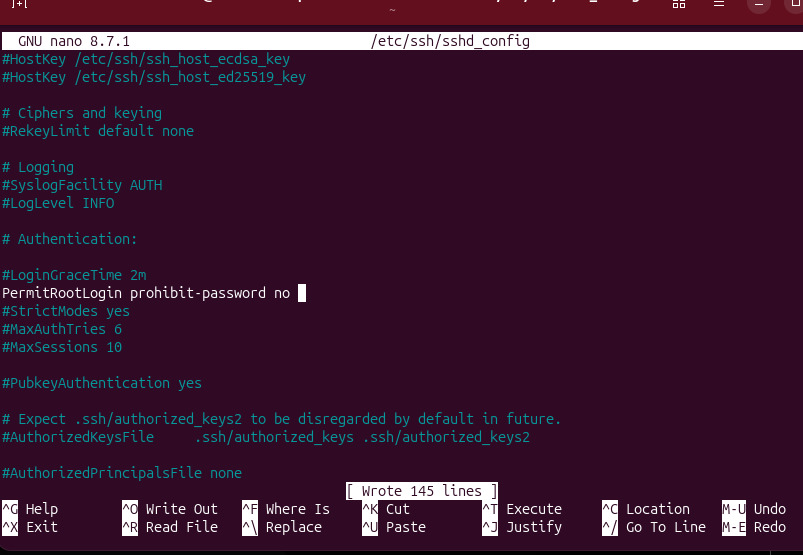
- Disabled (PermitRootLogin no)معطّل (PermitRootLogin no)
What I changedما الذي غيّرته
- Backed up sshd_config before editing it.أخذت نسخة احتياطية من sshd_config قبل تعديله.
- Moved SSH from port 22 to 2200.نقلت SSH من المنفذ 22 إلى 2200.
- Generated an RSA 4096-bit key pair and installed the public key.ولّدت زوج مفاتيح RSA بطول 4096 بت وثبّتّ المفتاح العام.
- Turned off password authentication so only the key works.عطّلت المصادقة بكلمة المرور فلا يعمل إلا المفتاح.
- Disabled root login with PermitRootLogin no.عطّلت دخول root عبر PermitRootLogin no.
- Allowed port 2200 in UFW from the trusted IP 192.168.41.1 only.سمحت بالمنفذ 2200 في UFW من العنوان الموثوق 192.168.41.1 فقط.
Configuration evidenceأدلة الإعداد

What this project showsما يُظهره هذا المشروع
- Hardening OpenSSH on a Linux server.تحصين OpenSSH على خادم Linux.
- Key-based authentication and key management.المصادقة بالمفاتيح وإدارتها.
- Restricting access with UFW rules.تقييد الوصول بقواعد UFW.
- Changing configuration safely with backups and testing.تغيير الإعدادات بأمان مع النسخ الاحتياطي والاختبار.
Want the details behind this project?تريد تفاصيل أكثر عن هذا المشروع؟
I’m happy to walk through the design, the configs and what I would change in production.يسعدني شرح التصميم والإعدادات وما الذي سأغيّره في بيئة الإنتاج.